Understanding the Features of Insta360
Key Specifications and Innovations
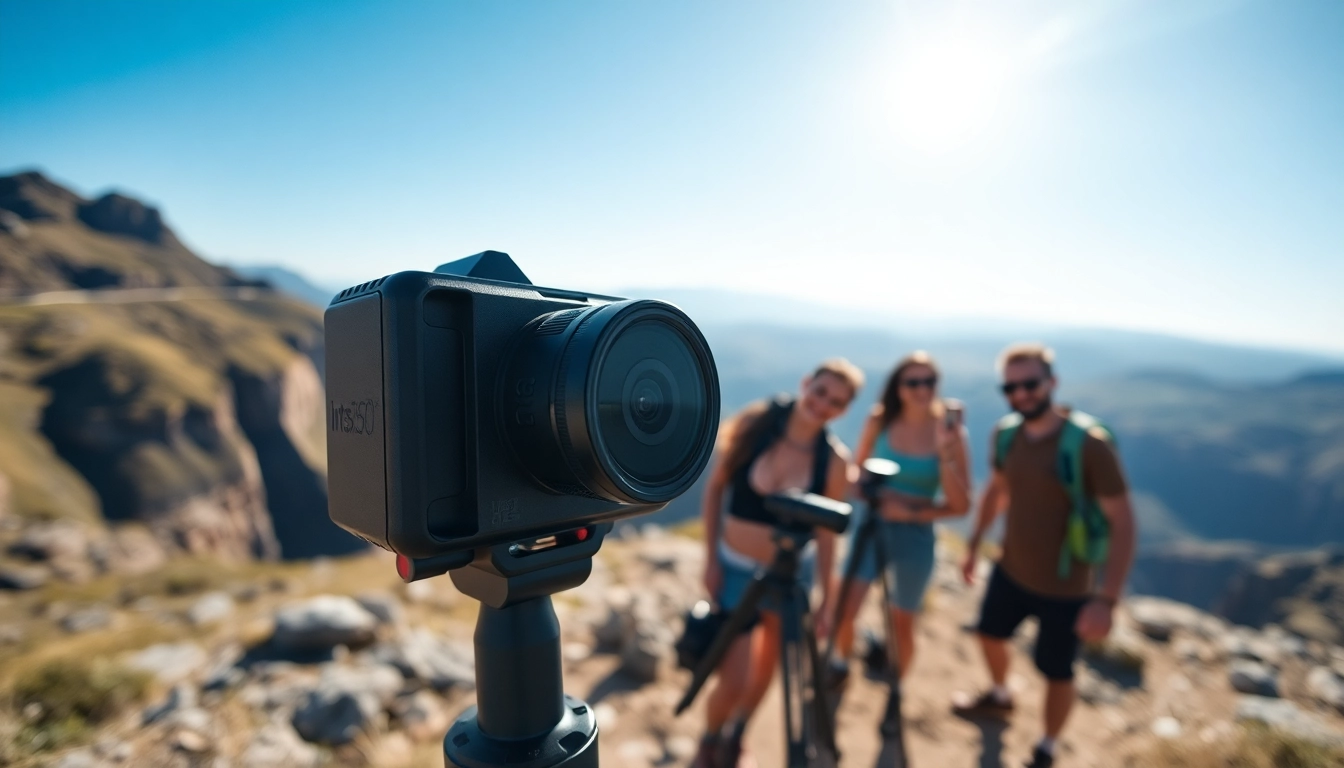
The Insta360 lineup of cameras showcases remarkable technological advancements that cater to both professional and amateur photographers. Among its flagship offerings, the Insta360 X3 stands out for its capability to capture stunning 5.7K resolution videos and 72MP 360-degree photos. This model is powered by advanced stabilization technology, ensuring smooth and clear footage, even during dynamic action scenes.
One of the most significant innovations includes a dual-lens system that allows seamless transition between 360-degree perspectives and traditional wide-angle shots. The Insta360's unique algorithm enhances image processing, delivering outstanding low-light performance and vibrant color accuracy. Furthermore, the cameras are designed to withstand various environmental conditions, making them robust companions for outdoor adventures.
How Insta360 Enhances Photography
Insta360 transforms how users approach photography by expanding creative horizons. Photographers can utilize the device's 360-degree capabilities to capture immersive environments, perfect for travel, events, or any situation where spatial context is crucial. The ability to shoot from various angles allows for more dynamic storytelling. With built-in features such as multi-lens shooting and AI-assisted editing, users can easily create polished content that feels professional without requiring extensive editing skills.
Moreover, Insta360 enhances user convenience through its companion app, which offers a suite of editing tools and templates. Artificial intelligence helps streamline the editing process, enabling users to produce aesthetically pleasing videos in mere minutes.
Comparing Models: Which Insta360 is Right for You?
The Insta360 range includes various models, each catering to different user needs. For instance, the Insta360 X3 is perfect for those who prioritize video quality and stabilization, while the Insta360 GO is renowned for its ultra-portability and easy usability. The Insta360 ONE X2 balances high-quality 360-degree shooting with compact design, making it versatile for both casual users and enthusiasts.
When choosing a model, consider factors such as intended usage, desired resolution, and portability. For athletes and adventurers, the Insta360 GO's lightweight design and waterproof capabilities make it ideal. Conversely, filmmakers may lean toward the Insta360 X3 for its superior image quality and advanced features.
Getting Started with Your Insta360 Camera
Unboxing and Initial Setup
Upon unboxing your new Insta360 camera, take a moment to familiarize yourself with its components. Inside the package, you should find the camera, a user manual, charging cables, and possibly a protective carrying case. Start by fully charging the device, which often takes around two hours for most models.
Once charged, power on the camera and connect it to your smartphone via the Insta360 app. This app provides an intuitive interface for managing settings, viewing live feed from the camera, and accessing editing features.
Camera Settings and Modes
Each Insta360 camera model comes with several shooting modes to enhance user experience. The modes typically include standard shooting, time-lapse, and HDR settings, each tailored for specific environments and subjects. For instance, the time-lapse mode is excellent for capturing movement over an extended period, while HDR capabilities support shooting in high-contrast settings.
Explore the settings to adjust video resolution, image quality, and frame rates based on your shooting scenario, allowing you to maximize the camera's potential.
Using the Insta360 App for Editing
The Insta360 app acts as a powerful editing companion, offering features such as one-tap editing, templates, and music integration for your videos. When you connect your camera to the app, you can preview your footage, manually select the best shots, or employ AI tools that analyze your clips for optimal edits.
Key features within the app include the ability to add filters, music, and text overlays, as well as options for sharing content directly to social media without the need for a computer. This mobile-focused design democratizes video creation, making it accessible to everyone, regardless of editing experience.
Tips for Capturing the Best 360 Photos
Composition Techniques for Stunning Shots
When capturing 360 photos, composition plays a vital role. Utilize the rule of thirds by positioning key elements of your scene along gridlines or their intersections. This method can draw the viewer's eye to important details while creating a balanced image. Experiment with foreground and background elements to create depth, giving your photos a more immersive feel.
Utilizing Lighting for Enhanced Visuals
Consider the time of day when shooting. Golden hour, shortly after sunrise or before sunset, provides soft light that enhances texture and colors. Avoid harsh midday sunlight, as it can create unnecessary shadows. If shooting indoors, position your subject near windows or artificial light sources to enhance visibility.
Experimenting with Different Angles
One of the significant advantages of the Insta360 camera is its ability to shoot from virtually any angle. Try placing the camera at various heights and perspectives to discover unique compositions. Shooting from a low angle can make your subject appear more grand and imposing, while high angles can provide context to the surrounding environment.
Advanced Techniques with Insta360
Creating Dynamic Videos with Time-lapses
Time-lapse videos create visual narratives that are both engaging and informative. To create effective time-lapses using your Insta360, find a stable location to minimize shakes and vibrations. Capture slow-moving events, such as sunset or city traffic, to illustrate change over time. Make sure to adjust the time-lapse settings in your camera to ensure smooth transitions and optimal frame rates.
Incorporating 3D Effects and Transitions
The Insta360 app allows users to create stunning transitions and effects that can elevate the quality of your videos. Consider using transitions during your edits that complement the story you are telling. For example, a seamless transition from one location to another can create a more immersive experience. Experiment with 3D effects that utilize your footage’s 360-degree capabilities for a unique viewer experience.
Edit like a Pro: Advanced App Features
Advanced users can take full advantage of the Insta360 app's comprehensive editing features, such as keyframing for dynamic movements or advanced color grading tools. Keyframing allows you to control movements in your video precisely, enabling sophisticated storytelling techniques. Accessing these features may require some practice, but they can significantly enhance your final output.
Frequently Asked Questions about Insta360
What types of adventures are best for using the Insta360?
The Insta360 is perfect for outdoor exploration, travel photography, and events where capturing a 360-degree view enhances the experience.
Can I use the Insta360 in low-light conditions?
Yes, models like Insta360 X3 perform well in low-light, allowing you to capture high-quality images even in dim environments.
How can I share my Insta360 media?
You can easily share your captures via social media or the Insta360 app, which offers seamless connectivity and editing options.
What accessories enhance the Insta360 experience?
Popular accessories include tripods, gloves for handling, and protective cases to boost functionality and safety during use.
How do I update the firmware on my Insta360?
Firmware updates can be done through the Insta360 app, ensuring your camera remains up to date with the latest features and fixes.