Understanding the MV88 Microphone
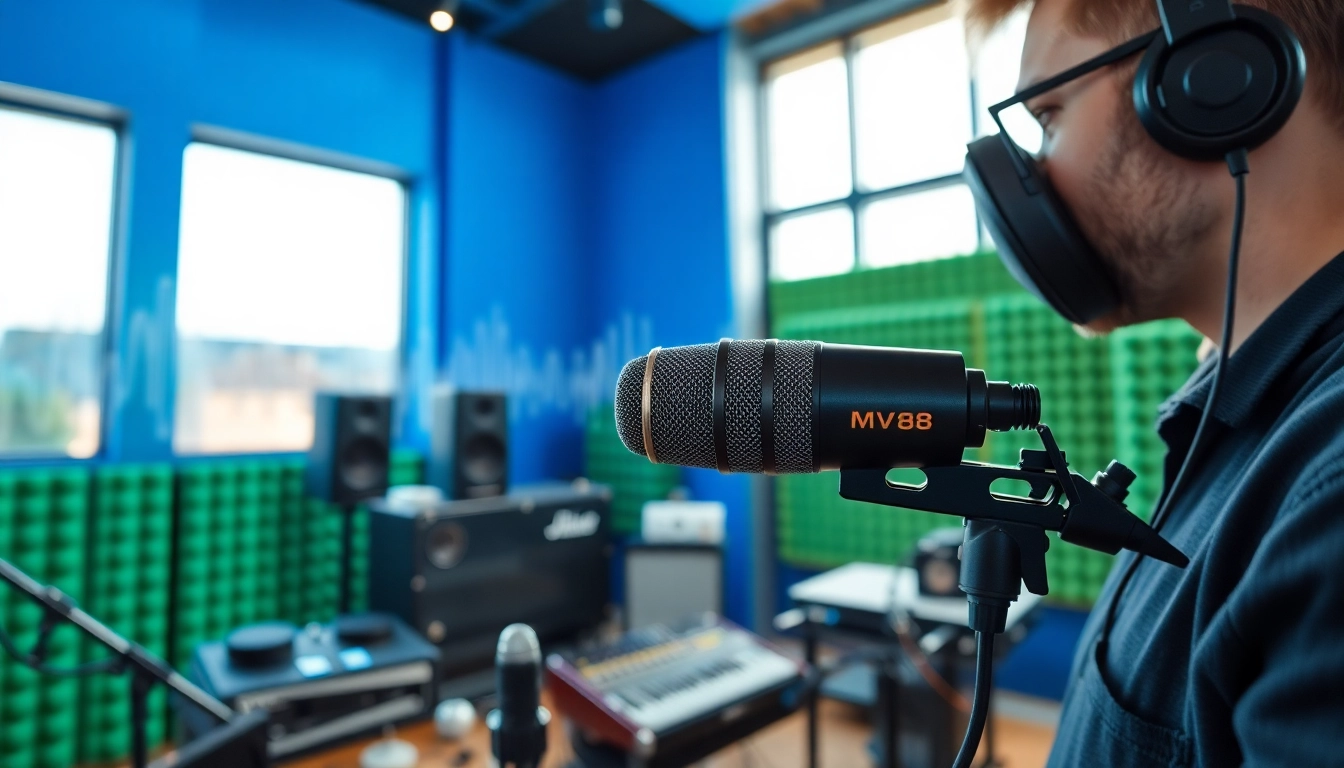
The MV88 is a revolutionary mobile microphone from Shure, designed for iOS devices. Its compact size and powerful performance make it an excellent choice for musicians, podcasters, and video creators who need high-quality audio while on the go. The MV88 seamlessly integrates with Apple's mobile technology, enabling creators to capture professional-grade sound easily. In today's digital era, where audio quality can set your content apart, understanding the capabilities of the MV88 can elevate your multimedia projects significantly.
What Makes the MV88 Unique?
What sets the MV88 apart from other microphones is its unique combination of features designed specifically for the iOS ecosystem. The MV88 is both a condenser microphone and a digital audio interface, which means it can connect directly to your device without any need for additional adapters. Its compact design makes it ideal for mobile recording, while its flexibility in capturing sound from various angles through adjustable settings adds to its usability.
Key Features and Specifications
- Connectivity: The MV88 connects directly to the Lightning input of any iOS device, eliminating the need for adapters.
- Direcctor Modes: With multiple recording modes (Stereo, Mono, and more), it allows users to adapt to various recording situations.
- App Integration: The ShurePlus MOTIV app offers customizable settings, including EQ and compression, to enhance audio quality.
- Compact Design: Its lightweight and portable construction makes it easy to carry and set up anywhere.
- Durable Build: The MV88 is crafted with rugged metal housing, ensuring longevity and reliability.
How to Choose the Right Microphone for Your Needs
When selecting a microphone, consider the context in which you will be using it. The MV88 excels in mobile settings but may not suit all scenarios. For instance, if you need a microphone for studio recording rather than on-the-go applications, you might explore microphones with XLR connections. However, if you are primarily capturing interviews, podcasts, or live performances on your iPhone or iPad, the MV88's versatility makes it an excellent choice.
Setting Up Your MV88
Initial Setup and Configuration
Setting up the MV88 is straightforward. Simply plug it into your device's Lightning port, download the ShurePlus MOTIV app, and follow the on-screen instructions. The app allows you to adjust microphone settings, select stereo width, and apply audio processing. Ensure your iOS device is updated to the latest software version to avoid compatibility issues.
Best Practices for Optimal Performance
To achieve the best results, here are some best practices:
- Positioning: Place the MV88 close to the sound source to maximize clarity and reduce background noise.
- Use Windshields: If recording outdoors, consider using a windshield to minimize wind noise.
- Microphone Mute: Use the mute function when not recording to keep unwanted sounds at bay.
- Regular Calibration: Always calibrate the microphone settings according to your recording environment.
Common Troubleshooting Tips
Like any device, you may encounter issues. Here are common problems and their solutions:
- No Sound: Check the connection and ensure the microphone is selected as the input source in the app.
- Poor Quality Sound: Adjust the gain settings and consider repositioning the microphone for better sound capture.
- High Background Noise: Test using different recording modes and filtering options to isolate your sound source.
Recording Techniques with the MV88
Capturing Clear Sound in Various Environments
To achieve clear recordings, take into account the environment. In noisy settings, such as busy streets or crowded rooms, utilize the MV88’s directional capabilities. By selecting a unidirectional recording mode, you can focus on capturing sound from the front of the microphone while minimizing surrounding noise.
Utilizing Different Recording Modes Effectively
The MV88 offers multiple recording modes that cater to different scenarios. Whether you're recording a solo vocalist, a small band, or ambient sounds for video, knowing how to switch between these modes is key. For example, Stereo mode works best for music, allowing for a rich, immersive sound, whereas the Mono mode might serve well for interviews to focus on a single speaker.
Advanced Techniques for Professional Sound Quality
For those looking to enhance their recording quality further, consider these advanced techniques:
- Layering Sounds: Record multiple tracks separately and layer them in post-production for a richer audio experience.
- EQ Adjustments: Use the ShurePlus MOTIV app to apply equalization settings suited to your recording type.
- Matching Levels: Ensure consistent levels across all tracks to maintain audio uniformity.
Comparing MV88 to Other Microphones
MV88 vs. Popular Competitors
Comparative analysis with similar microphones, such as the Rode VideoMic Me-L or the Audio-Technica ATR-2100x-USB, reveals both advantages and disadvantages. The MV88's seamless integration with iOS devices is a significant benefit compared to competitors that might require extra adapters. On the other hand, some of the competing models might offer specific features catering to niche markets, such as longer battery life or enhanced frequency response ranges for specific applications.
Price Point Analysis and Value Assessment
When considering its price, the MV88 is positioned as a mid-tier option in the mobile microphone market. It balances cost with functionality, offering features found in higher-end models without the associated price tag. Users should weigh the cost against the potential for increased production quality, especially in professional or semi-professional contexts.
Customer Reviews and User Experiences
User experiences reveal a generally positive reception of the MV88. Many customers praise its audio quality, ease of use, and portability, making it a favored choice among influencers and content creators. Negative feedback often centers around the iOS-only compatibility; Android users are left seeking alternative solutions. Overall, reviews suggest that for iOS users, the MV88 delivers significant value for its price.
Enhancing Your Audio Projects
Using MV88 in Different Scenarios
The versatility of the MV88 allows for various applications ranging from music recording to podcasts and video content creation. Understanding how to adapt its use based on the scenario will maximize your project's audio quality. For example, when doing field recordings, fine-tuning the input levels and directionality settings can lead to vastly improved results.
Post-Production Tips for the Best Sound
Post-production is where audio projects come to life. Utilizing software like Adobe Audition or Audacity for mixing and mastering can tremendously enhance recorded tracks. Key post-production tips include:
- Noise Reduction: Remove unwanted background noise to create a clear listening experience.
- Dynamic Range Compression: Apply compression to level out your audio, ensuring that soft sounds are audible while keeping louder sounds in check.
- Use of Effects: Consider reverb or delay to add depth to your recordings, especially in musical compositions.
Integrating MV88 into Your Overall Workflow
Integrating the MV88 into your existing workflow can streamline your production process. Building a consistent setup, where you can easily connect the MV88 for quick recordings, can enhance productivity. Pair the microphone with mobile software and hardware that complement its strengths, setting a standard operating procedure for various recording environments, will lead to more efficient project turnarounds.