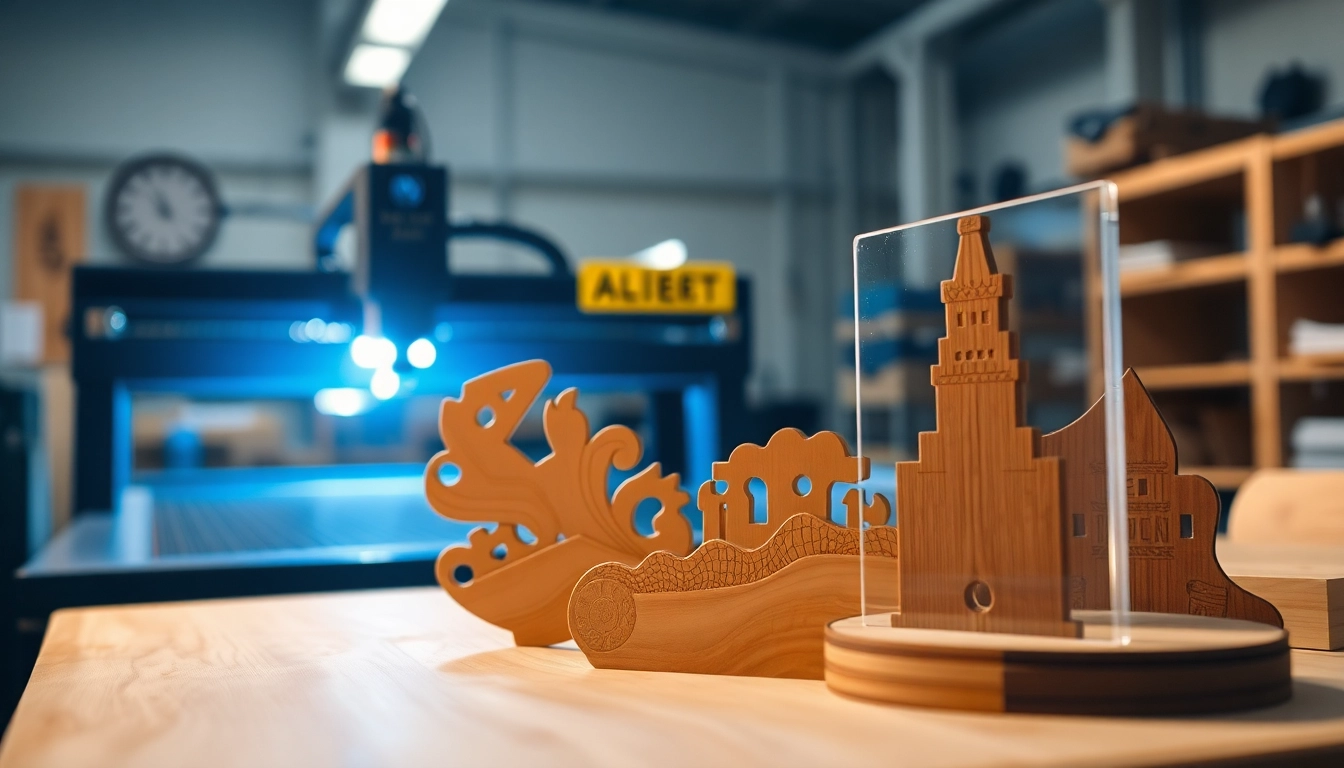
Understanding Laser Cutting Designs
Laser cutting is a precise and versatile manufacturing process that utilizes focused laser beams to cut and engrave materials. The laser cutting designs technology has revolutionized how designers and creators approach crafting, allowing for intricate and complex shapes that were previously challenging or impossible to achieve with traditional methods. This article delves into the intricacies of laser cutting designs, including the technology behind it, the myriad applications, and best practices for optimal usage.
What Are Laser Cutting Designs?
Laser cutting designs refer to the patterns and shapes created using laser cutting technology. This process typically involves programming a laser cutter to follow specific paths, thus enabling the production of detailed items ranging from simple shapes to complex sculptures. Laser cutting is not limited to cutting; it can also engrave, mark, and etch various materials, making it a multifaceted technique in modern design and manufacturing.
The Technology Behind Laser Cutting
At its core, laser cutting relies on high-powered laser beams that concentrate energy onto a specific point, resulting in materials melting, burning, or vaporizing. The technology encompasses various types of lasers, such as CO2 lasers, fiber lasers, and solid-state lasers, each offering distinct advantages based on the application. CO2 lasers are particularly favored for non-metal materials, while fiber lasers excel with metals, giving designers the flexibility to choose the best tools for their projects.
Common Applications of Laser Cutting Designs
Laser cutting designs find applications across numerous industries, including:
- Manufacturing: Precision parts in automotive and aerospace.
- Arts and Crafts: Intricate designs for home décor and personalized gifts.
- Fashion: Unique cuts in fabrics and leather for the apparel industry.
- Architecture: Detailed model making and facade elements for buildings.
- Signage: Stunning, customized signs and displays for businesses.
Materials Suitable for Laser Cutting Designs
Choosing the right material is critical to executing successful laser cutting designs. Different materials react uniquely under laser cutting, influencing the intricacy and outcome of each project.
Choosing the Right Material for Your Project
When selecting materials for laser cutting designs, consider the following factors:
- Material Thickness: Thicker materials require more powerful lasers.
- Material Type: Metals, wood, acrylic, and fabrics each behave differently with laser precision.
- End Use: The final product determines appropriate durability, aesthetic, and functionality.
Common Materials: Pros and Cons
MaterialProsConsWoodNatural appeal, easy to cut and engraveCan scorch; varies by typeAcrylicColor variety, smooth edgesCan be brittle; not eco-friendlyMetalsDurable, strong, versatileRequires powerful laser; higher costLeatherNatural finish, unique texturesLimited to specific designs; can emit odors
Safety Considerations When Working with Materials
Safety is paramount when working with laser cutting. Each material can emit harmful fumes or particulates during cutting. Therefore, it is vital to ensure adequate ventilation, use appropriate personal protective equipment, and follow the manufacturer's guidelines to protect against harmful reactions.
Best Practices for Creating Laser Cutting Designs
Creating effective laser cutting designs requires knowledge in both design software and machine settings. Here are best practices to consider:
Design Software Options to Consider
Several software tools are tailored for laser cutting designs. Some popular options include:
- Adobe Illustrator: Industry standard for vector graphics; enables intricate designs.
- CorelDRAW: User-friendly for beginners; a staple in laser design.
- Inkscape: Open-source alternative; great for budget-conscious users.
Optimizing Designs for Laser Cutting Machines
To ensure optimal results, follow these design tips:
- Utilize vector files (.svg, .dxf) to maintain quality.
- Consider kerf (material removal) when designing, adjusting cut lines accordingly.
- Keep designs simple for smoother cutting and minimizing errors.
Tips for Beginners in Laser Cutting Design
Starting your journey in laser cutting? Here are some essential tips:
- Experiment with sample projects to understand the material behaviors.
- Start small; gradually taking on more complex projects as you gain confidence.
- Do not hesitate to seek advice from communities and forums for troubleshooting and inspiration.
Innovative Ideas Using Laser Cutting Designs
Laser cutting designs offer endless possibilities for creativity. Below are some innovative ideas that can inspire your next project:
Unique Projects to Inspire Your Creations
Consider these project ideas to spark your imagination:
- Customized Jewelry: Create unique pieces tailored to individual tastes.
- Home Décor: Design personalized wall art or intricate lanterns.
- Educational Models: Build hands-on learning tools for schools or educational purposes.
Combining Laser Cutting with Other Techniques
For added depth and complexity, combine laser cutting with techniques like:
- 3D Printing: Integrate laser-cut components into printed structures.
- Engraving: Personalize laser-cut items further with engraved details.
- Hand Painting: Add coloration to finished laser-cut items for a unique twist.
Case Studies: Successful Laser Cutting Projects
Showcasing some exemplary projects:
- An Interactive Art Installation: Features intricate patterns cut from wood that engage viewers.
- Furniture Design: A modular furniture line that simplifies assembly with precision-cut joints.
- Architectural Models: Use laser-cut models for client presentations, showcasing designs in impressive detail.
Maintaining and Upgrading Your Laser Cutting Setup
Ensuring longevity in your laser cutting equipment and processes can significantly affect your overall output quality. Here’s how to achieve that:
Essential Maintenance Tips for Longevity
Regular maintenance is key to preserving your laser cutting machine’s performance. Here are some critical maintenance practices:
- Clean lenses and mirrors routinely to maintain focus and cutting quality.
- Inspect mechanical components for signs of wear or misalignment.
- Keep the machine environment dust and debris-free to avoid airflow restriction.
Upgrading Your Equipment for Better Results
Consider these upgrades for improved performance:
- Switching to a higher wattage laser for increased cutting speed and material capacity.
- Upgrading the cooling system to enhance operational efficiency.
- Investing in better software to streamline design and output processes.
Evaluating Your Laser Cutting Design Workflow
Efficient workflow can increase productivity. Here are tips for assessment and improvement:
- Map out each step in the design and cutting process for identification of bottlenecks.
- Incorporate project management tools to track progress and timelines.
- Solicit feedback to streamline communication and efficiency among your team.
Frequently Asked Questions
What materials can be laser cut?
Common materials include wood, acrylic, textiles, paper, and certain metals, each with unique cutting properties.
How thick can materials be for laser cutting?
The thickness depends on the laser's wattage and the material itself, typically ranging from 0.5mm to several inches.
Can laser cutting machines engrave as well?
Yes, most laser cutters can engrave by adjusting the speed and power settings, allowing for detailed designs.
What software is best for laser cutting designs?
Popular options include Adobe Illustrator, CorelDRAW, and Inkscape, depending on user preference and budget.
Is laser cutting dangerous?
While the process can be safe, proper ventilation, protective equipment, and following equipment guidelines are essential to avoid hazards.